User Problems
Procurement
The procurement team doesn't have a central system to track the financial information of each project with contractor companies.
Design Managers
Design managers currently track their design tasks and documents across chats, emails, and spreadsheets with no central system.
Construction Managers
Construction managers don't have a central place to track the progress of their projects, nor a dedicated space for visibility and communication with contractor companies.
Contractor Companies
Contractors lack visibility into documents, requests, and issues, and have no dedicated communication space with the company. Communication happens across chats, emails, and calls.
Quality Managers
Quality inspectors don't have a central space to track handover checklists and construction issues with both the company and contractor companies.
Product Background
Product background description.
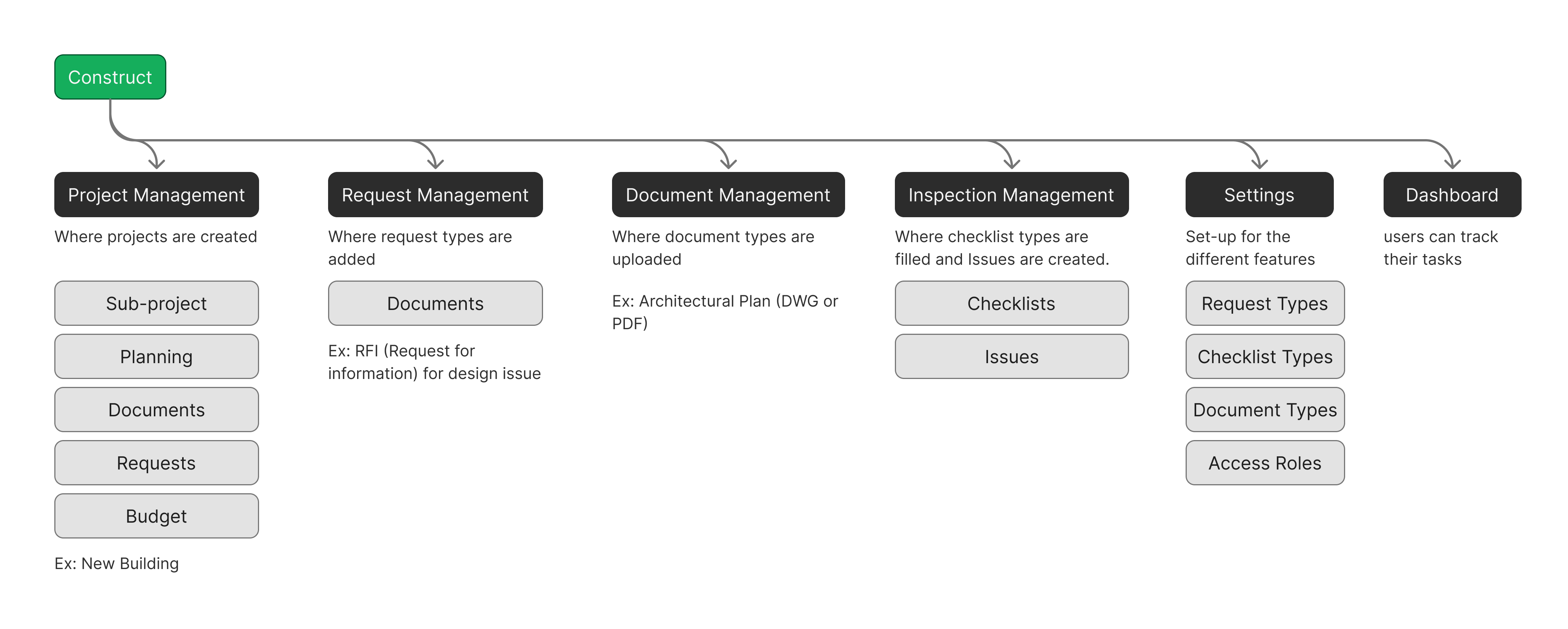
Design
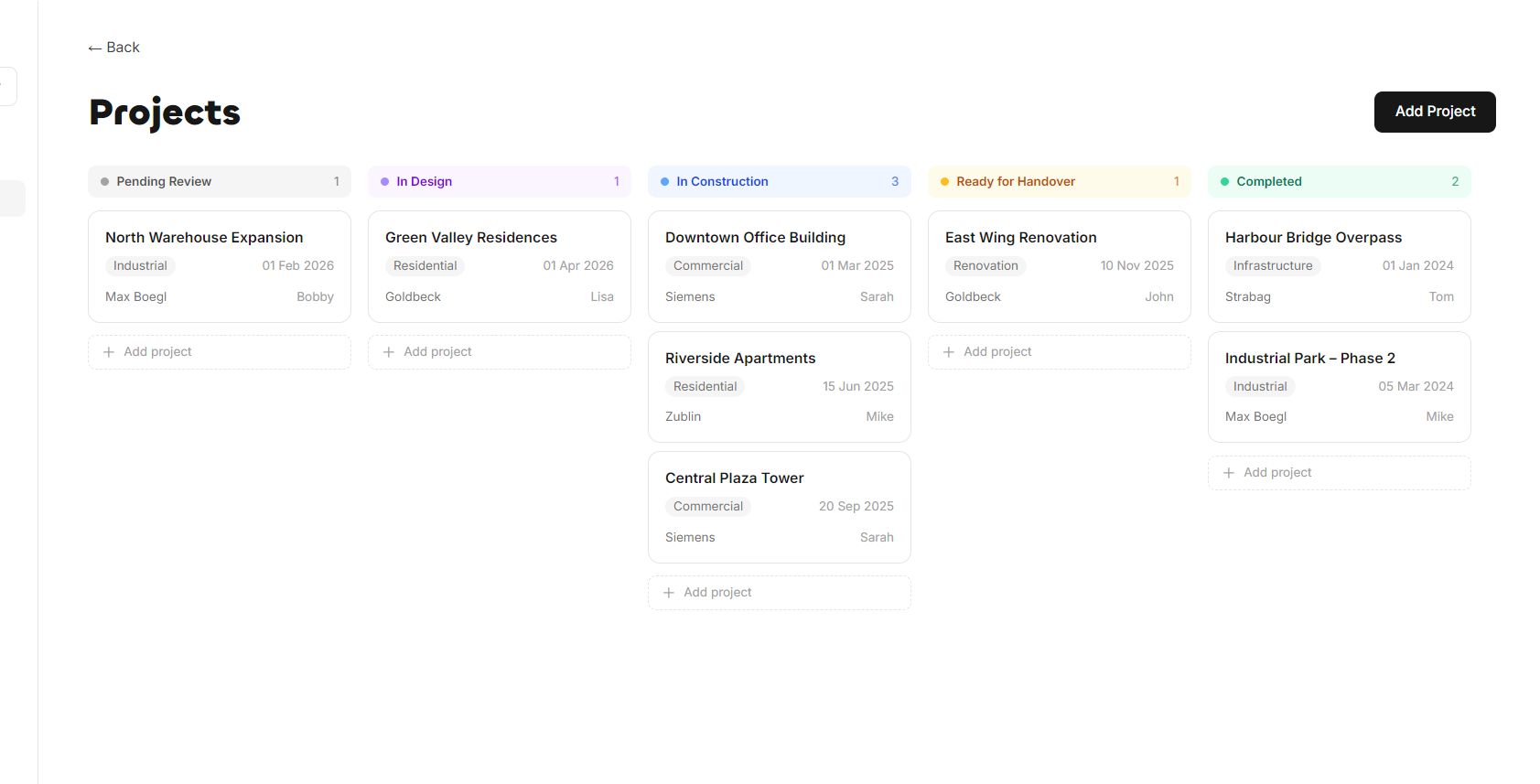
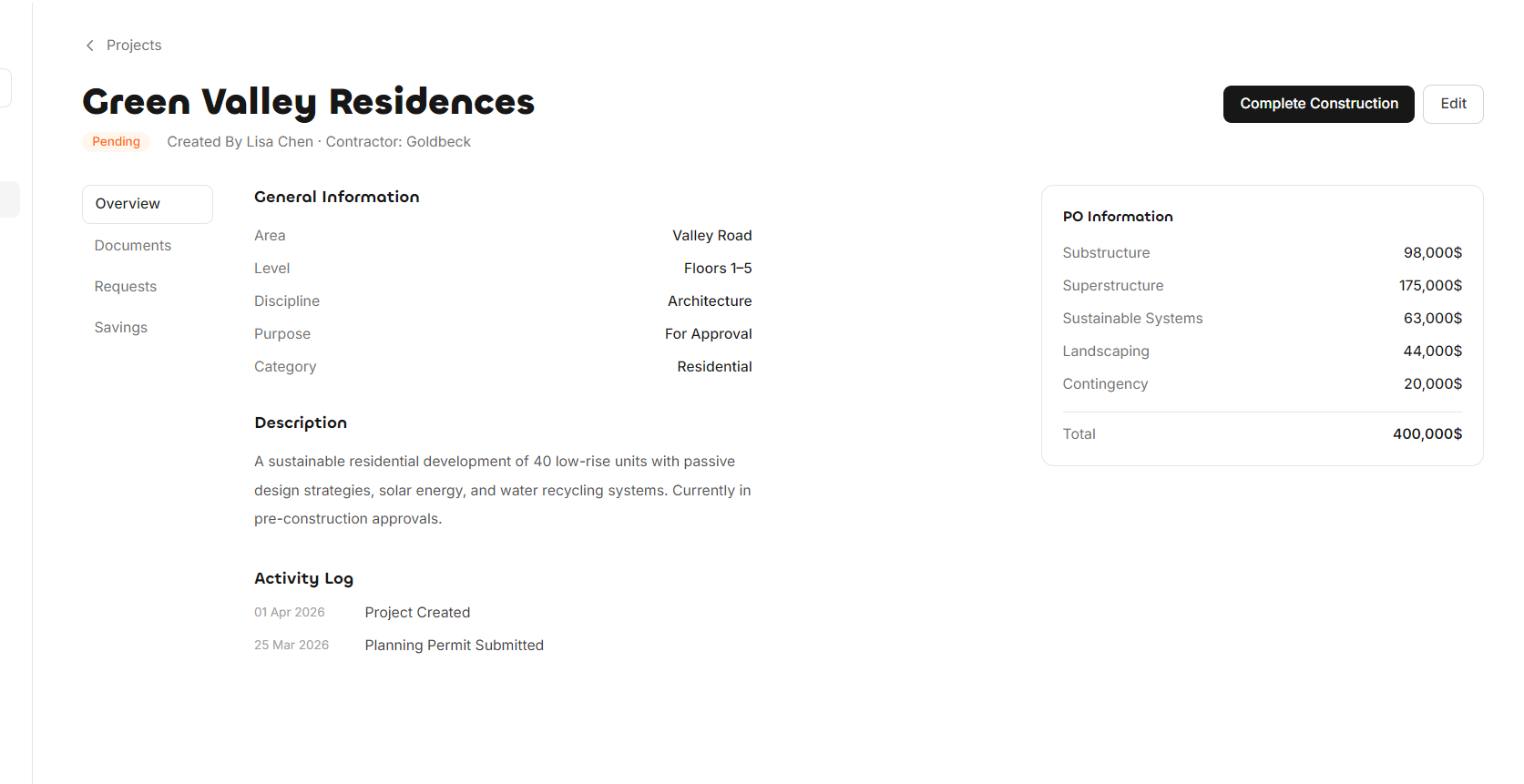
Projects
The application is built around the concept of Workspaces - a workspace can be one building or multiple buildings within the company, and each workspace consists of multiple projects. Projects are created by construction managers, then financially approved by procurement. Design managers submit documents, and the project moves into construction where execution takes place. It is then updated to Ready for Handover, at which point the contractor marks it complete for quality managers to carry out inspections by filling out checklists. Once critical issues are resolved, the project is closed. Project management is the central part of the application - the space where all user types can track their tasks and work.
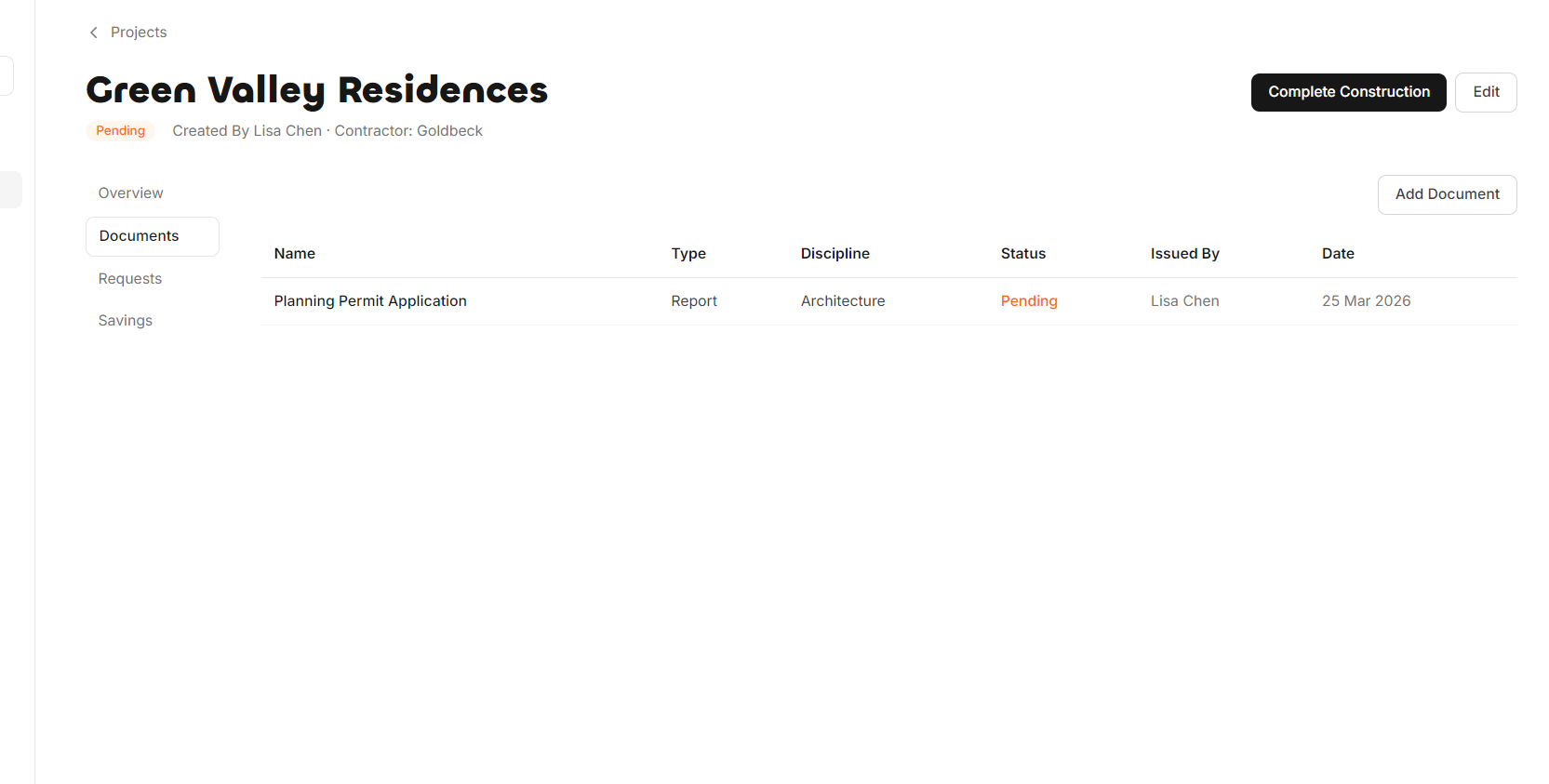
Documents
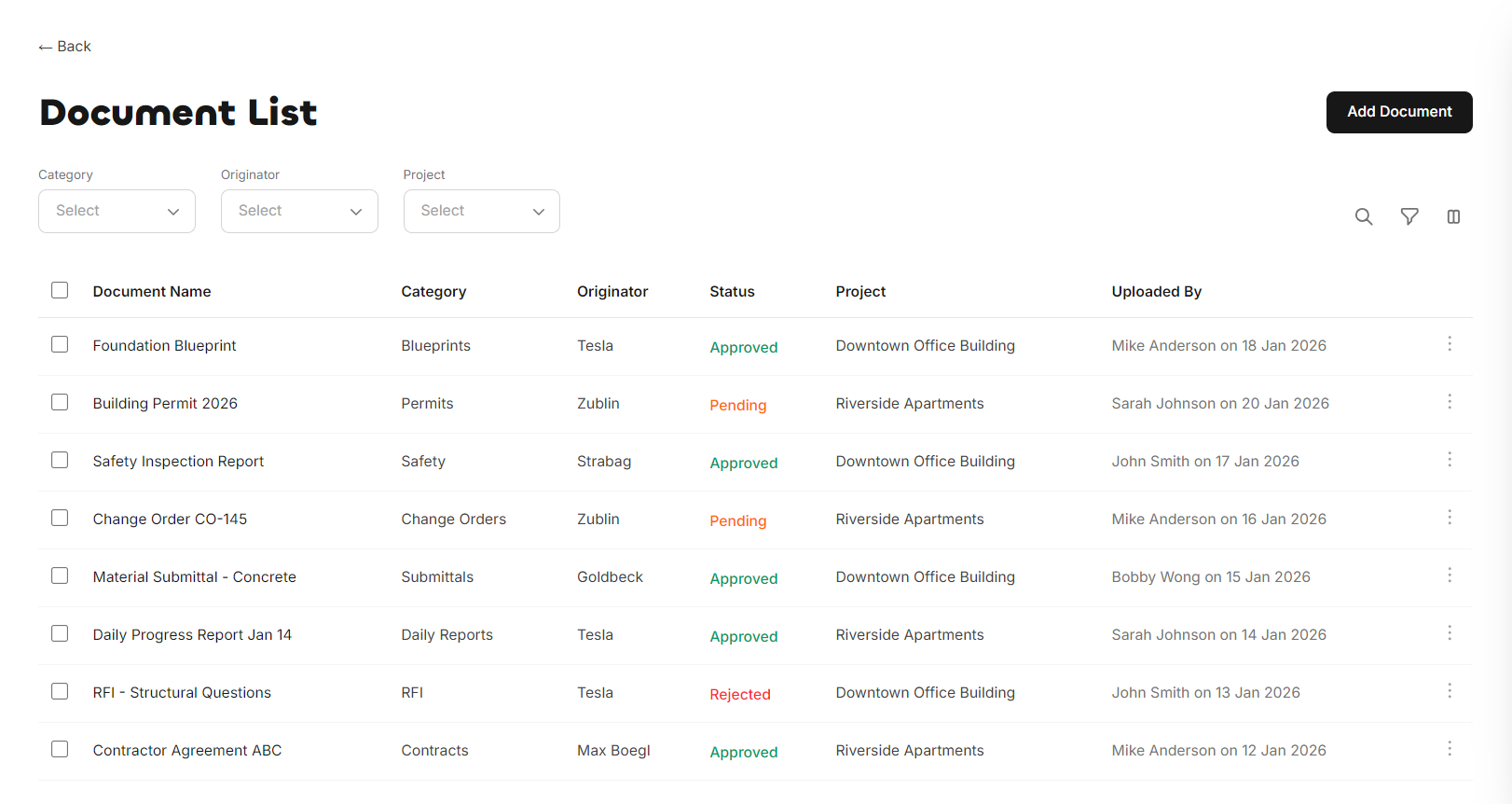
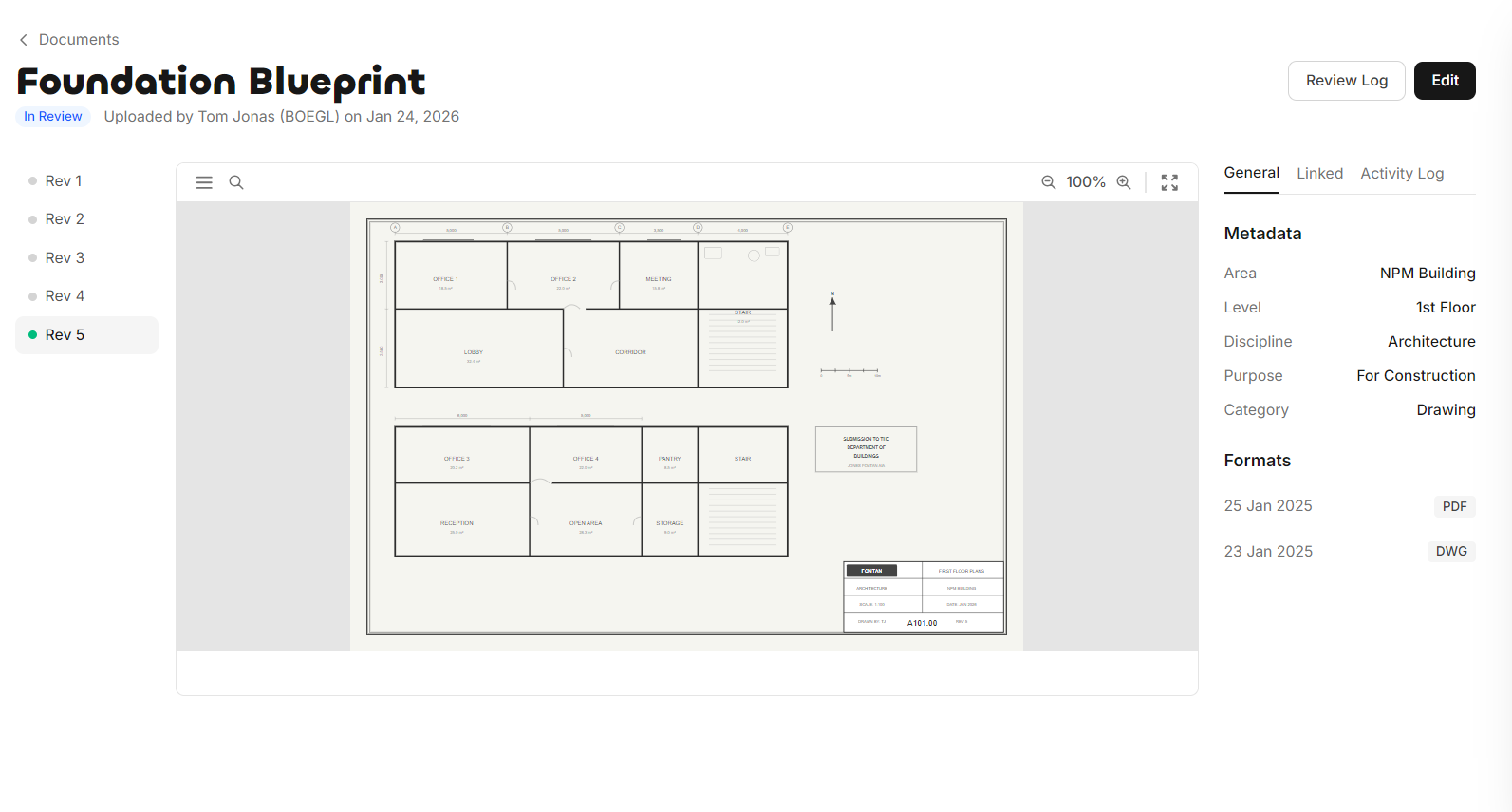
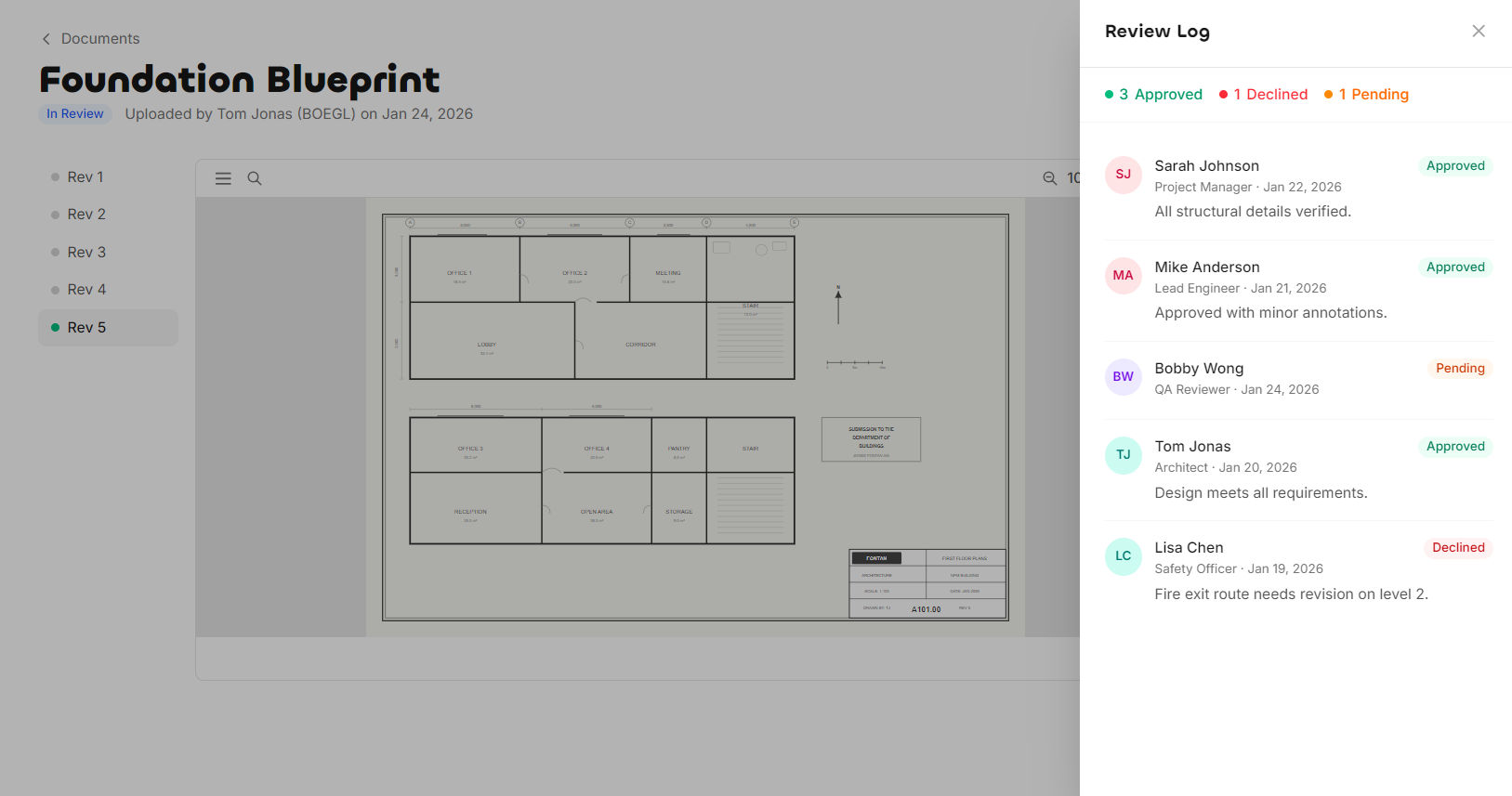
Documents are either uploaded under a project or without a connected project. There are multiple document types, such as Drawings, BOQ, Assets, and more. Documents consist of revisions, different metadata, multiple file formats, and reviews.
Requests
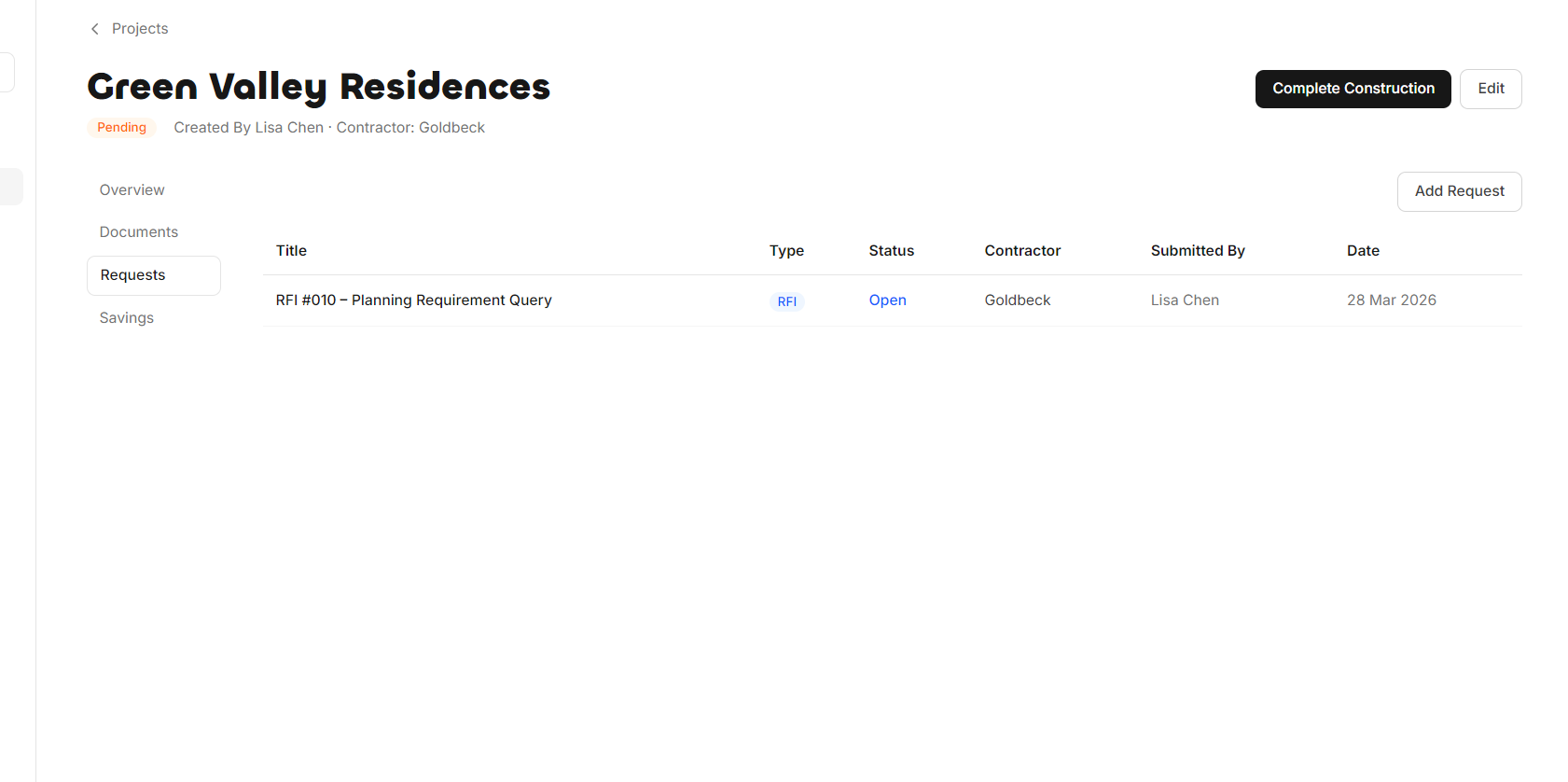
Requests are either added under a project or without. They can be created by all user types. There are multiple request types defined in the settings -for example, a Request for Information is created by admins, where they can set up the creation form, response types, and who receives or reviews the request.
Inspections
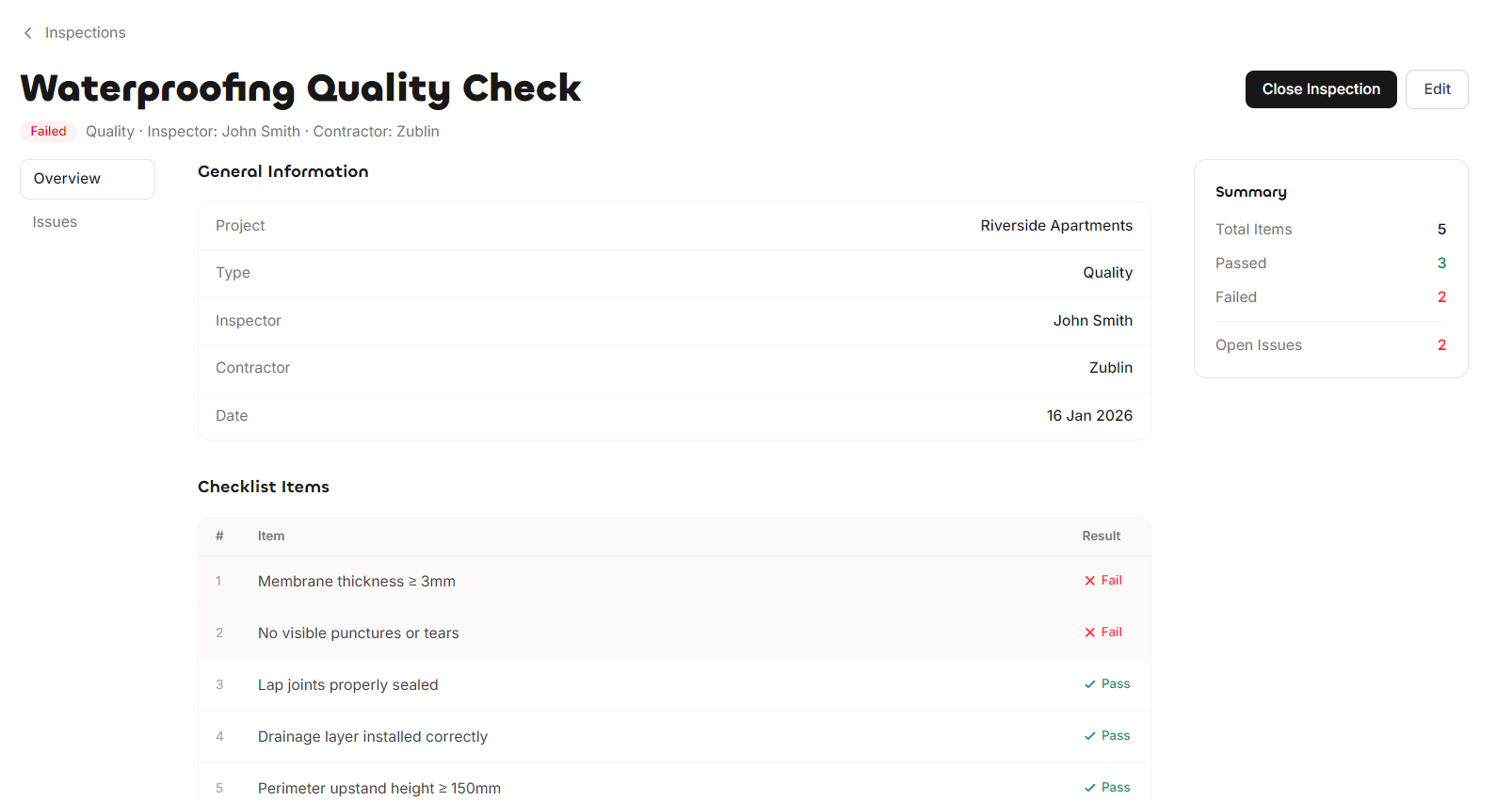
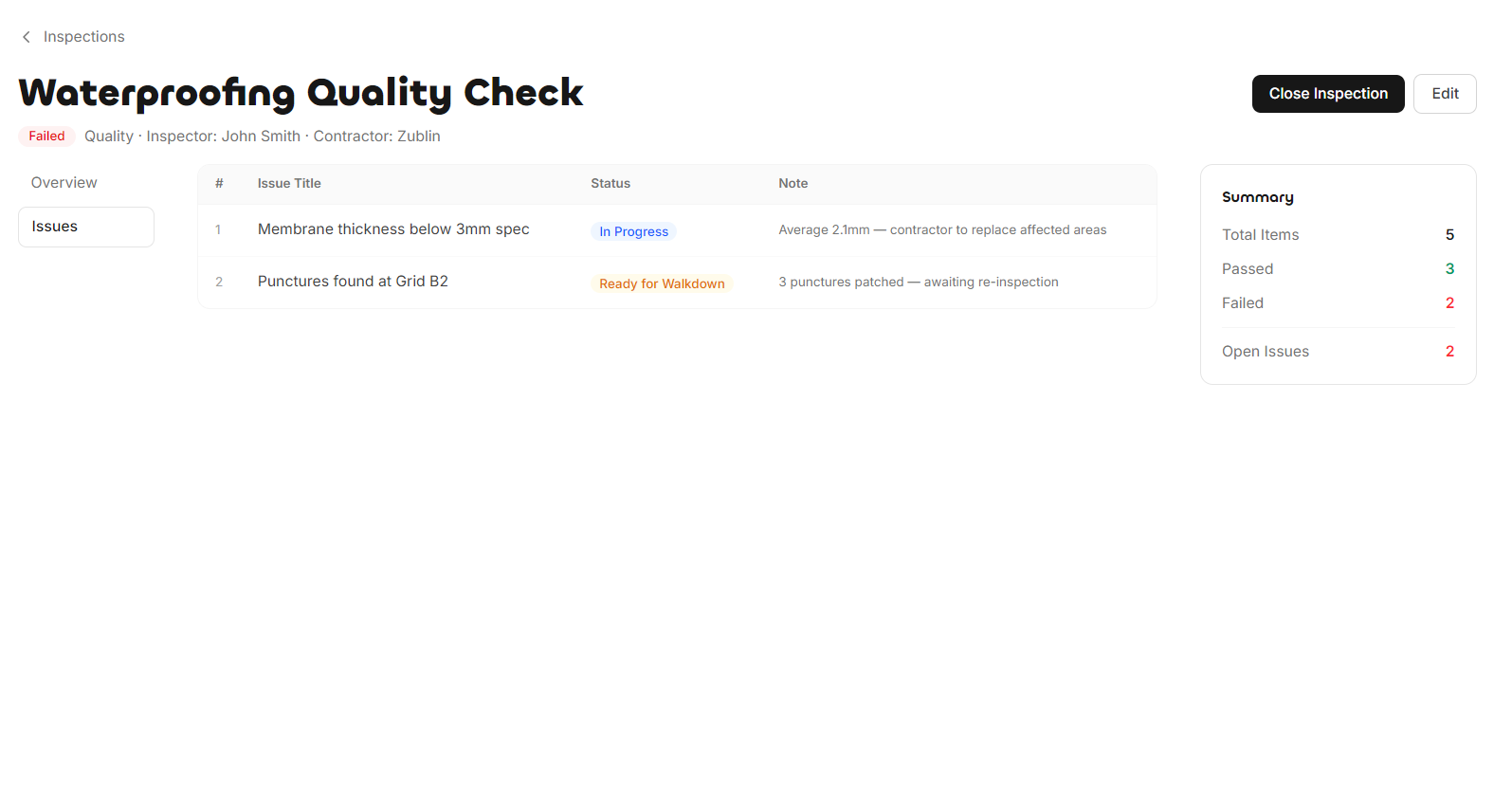
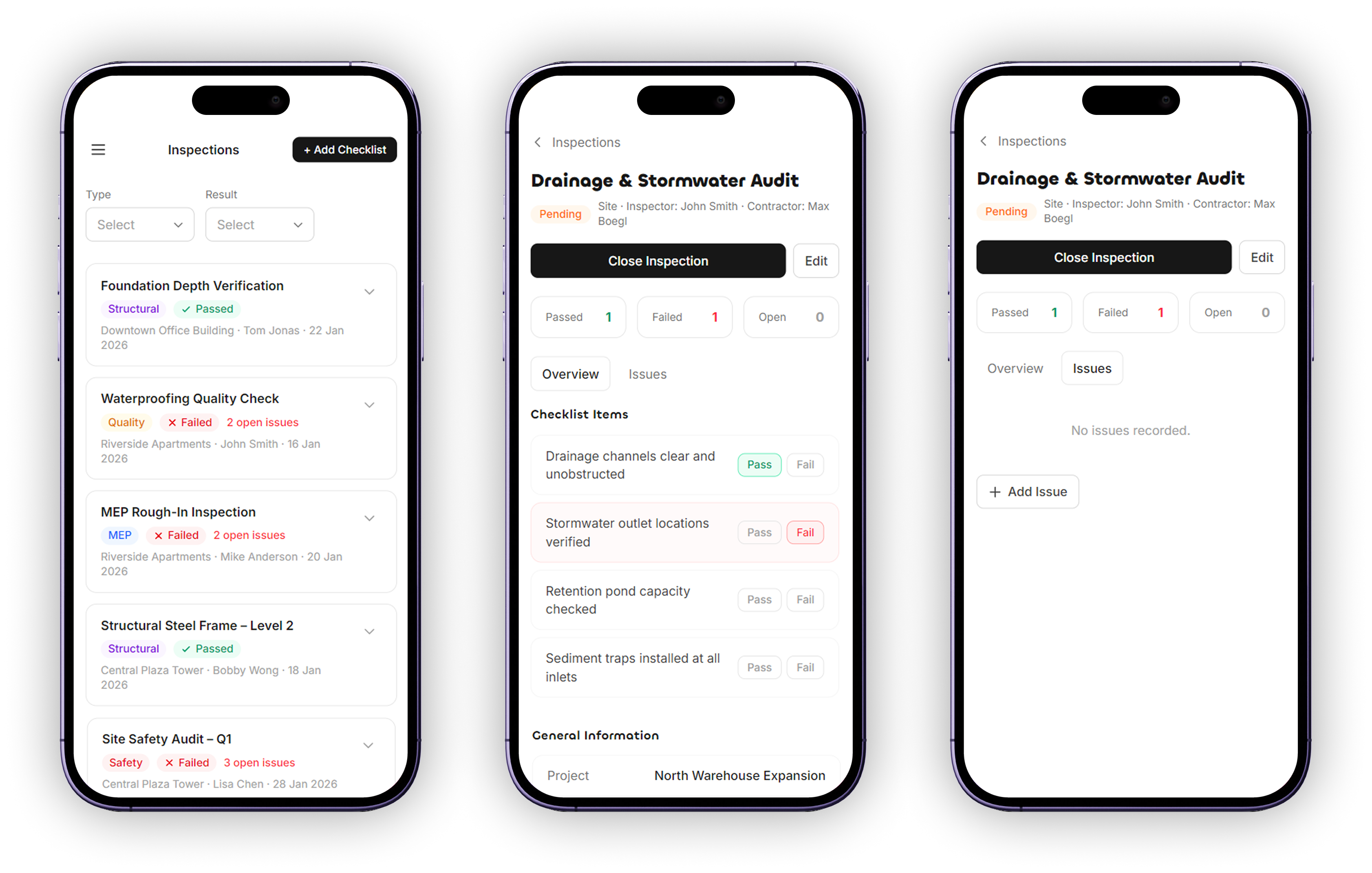
Inspections cover construction and pre-construction checklists, along with issues that result from filling them out. Checklists are only created under projects. Checklist and issue types are defined in the settings by admins. The inspections section is primarily used on mobile.
Tasks
The Tasks page is the landing page for users. It's where users can track their pending tasks, and managers can view both their own and their team's pending tasks. Tasks can be created by managers, or triggered automatically by the system for reviewing documents, requests, and projects, or for filling out pending checklists.
User Testing
- 01
User interviews with the internal company and contractor companies such as Elektra and Siemens.
- 02
Ideation sessions with users, especially in the early stages of building the application.
- 03
Testing the implemented UI with users and iterating based on their feedback.
Impact
- 01
Replaced fragmented tools - chats, emails, and spreadsheets - with a single platform, giving all user types a central place to manage their work across projects, documents, requests, and inspections.
- 02
Gave procurement a dedicated space to track the financial information of each project with contractor companies, replacing informal and scattered record-keeping.
- 03
Gave construction managers full visibility into project progress across all their projects, and a structured communication channel with contractor companies.
- 04
Brought contractor companies into the product as active participants, giving them visibility into documents, requests, and issues, and replacing ad-hoc communication with a dedicated shared space.
- 05
Provided quality inspectors with a structured mobile-first environment to carry out handover checklists and track construction issues, improving accountability and traceability across the handover process.